
Foreign Currency Conversion
Before SyncTools can properly convert foreign currencies from your Shopify store to your home currency in Xero, you need to enable and configure multicurrency features in Xero.
This guide walks you through the necessary steps to prepare your Xero account for seamless integration with SyncTools.
Please Note: The conversion to your home currency happens in your accounting software.
Step 1: Access Settings
- Log in to your Xero account
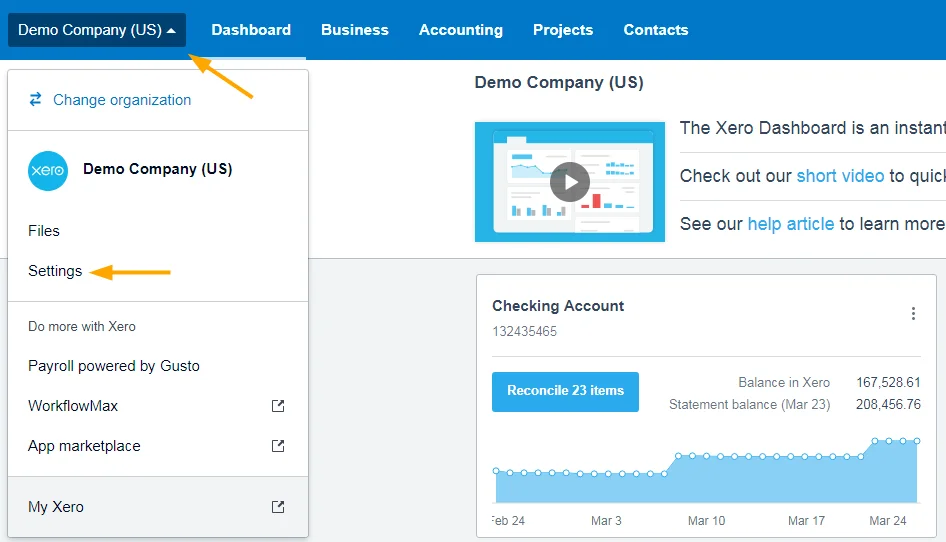
In the top right corner, click on company name
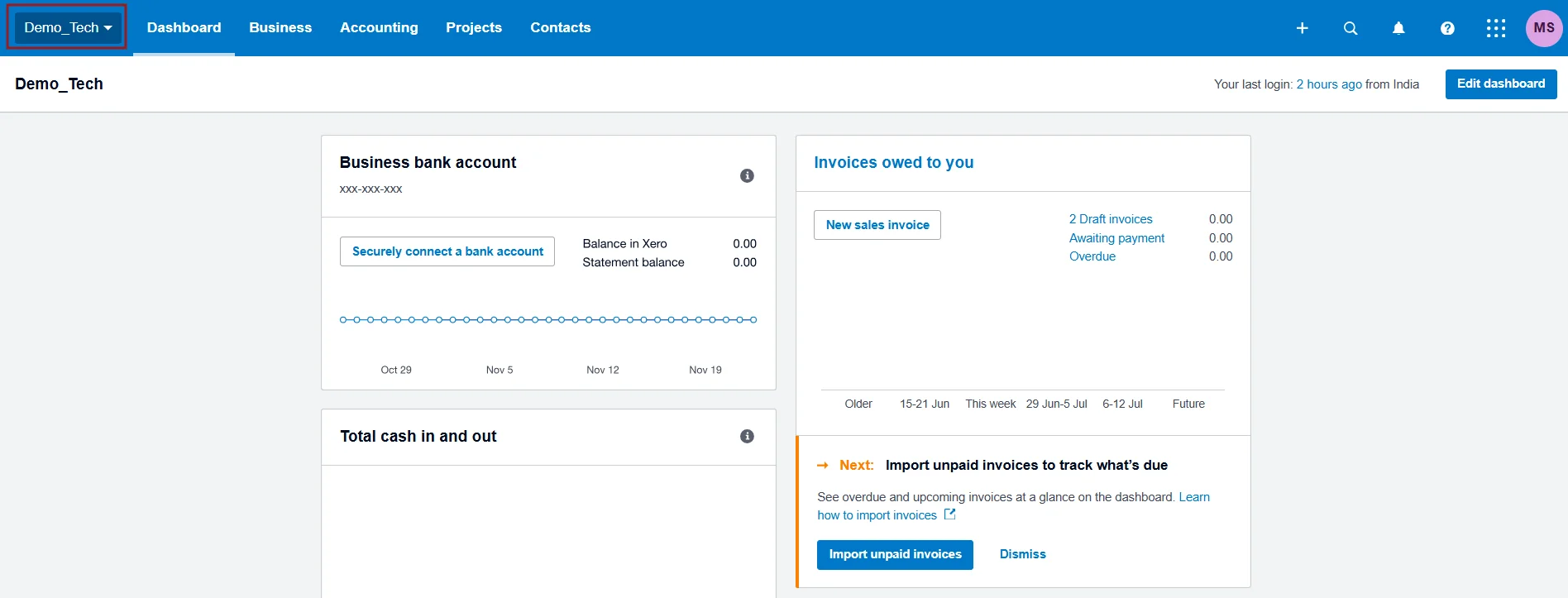
Click on your company name and then choose ‘Settings’
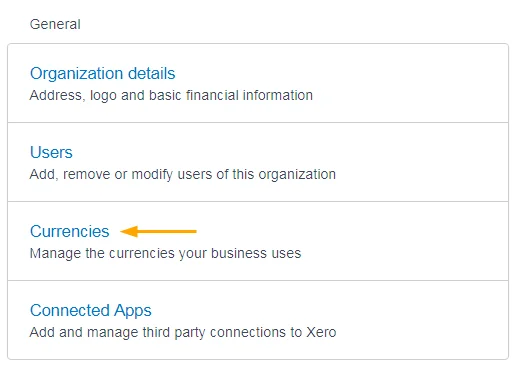
Step 2: Navigate to Currencies in Settings
On the settings screen, click on ‘Currencies’ in the General section
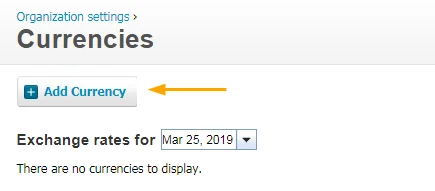
Then click on ‘Add Currency’
Example: How Currency Conversion Works
Let’s say you sell a product for €100 EUR, and your home currency is USD:
-
Shopify processes the payment and converts it to $110 USD
-
SyncTools retrieves both the original amount (€100) and the converted amount ($110)
-
SyncTools creates an entry in QuickBooks showing:
Revenue of $110 USD
Was this article helpful?