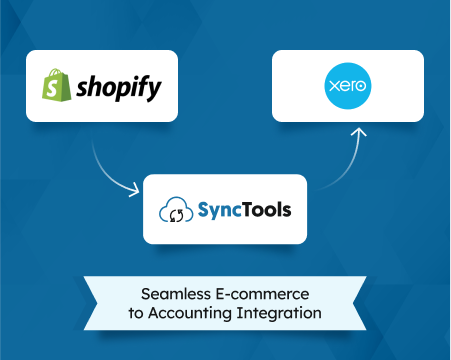
How SyncTools Makes E-commerce Accounting Easy: A Simple Guide
SyncTools automatically reconciles Shopify, WooCommerce, and Amazon payouts in QuickBooks, Xero, or Sage — saving hours of manual bookkeeping every month.
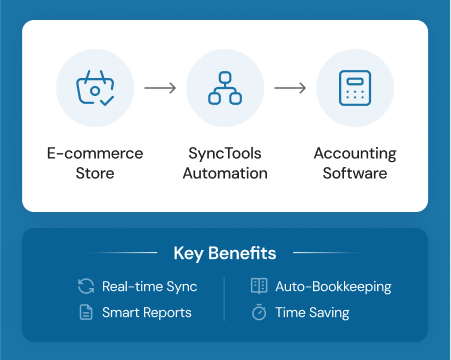
SyncTools is an eCommerce accounting integration that connects sales channels — Shopify, Amazon, WooCommerce, Magento, BigCommerce, and Linnworks — directly to accounting systems including QuickBooks Online, Xero, Sage, NetSuite, Zoho Books, and Microsoft Dynamics 365. It pulls every sale, fee, refund, and tax line from your platform and posts each to the correct account automatically, so your books reflect gross activity rather than a single opaque bank deposit.
TL;DR: SyncTools automates eCommerce bookkeeping by syncing transaction data from 6 sales platforms into 6 accounting systems. It separates gross sales, platform fees, refunds, and sales tax into the correct accounts — and groups all transactions to match each payout deposit exactly, so reconciliation takes one click instead of hours. Paid plans start at $19/month.
New to eCommerce accounting? Start with the eCommerce bookkeeping guide for foundational context before diving into tool setup.
The eCommerce Accounting Problem SyncTools Solves
eCommerce accounting breaks standard bookkeeping in five distinct ways, and each one is a source of systematic error. According to a 2023 survey by Accounting Today, 67% of small eCommerce sellers record net bank deposits as gross revenue — an error that simultaneously understates sales, hides deductible expenses, and mixes tax liability into income (Accounting Today, 2023).
Batched payouts are the first trap. Shopify deposits funds 1–5 business days after the transaction. Amazon holds funds for up to 14 days, then releases a single net amount. That deposit bundles gross sales, platform fees, refunds, shipping credits, and marketplace-collected tax into one figure. Your bank feed shows one number. Your actual books need at least six.
Multi-channel fee structures make the problem worse. Amazon charges referral fees (typically 8–15% of the sale price), FBA fulfillment fees, storage fees, and advertising charges — all subtracted from the settlement before the deposit arrives. Shopify charges subscription fees, transaction fees (if you don’t use Shopify Payments), and app fees separately. Each platform has its own fee taxonomy, and none of them map cleanly to a standard chart of accounts without deliberate configuration.
Async refunds create timing mismatches. A customer returns an order placed in February during March. The refund hits the February settlement report, which has already been reconciled. Without transaction-level tracking, the refund gets missed or double-counted.
Multi-currency adds another layer. A UK seller moving goods through Amazon UK, Amazon DE, and a Shopify store in GBP, EUR, and USD needs exchange rates applied at the transaction date, not the settlement date. The difference compounds across hundreds of transactions.
Sales tax compliance is where the most expensive errors hide. Since South Dakota v. Wayfair (2018), US states can require collection from out-of-state sellers once they exceed economic nexus thresholds — typically $100,000 in sales or 200 transactions in that state (U.S. Supreme Court, 2018). Marketplace facilitator laws mean Amazon and Shopify collect and remit in most states on your behalf, but that tax still flows through your settlement reports. Booking it as revenue is wrong. Booking it as an expense is also wrong. It belongs in a liability clearing account that nets to zero.
For a detailed breakdown of eCommerce sales tax bookkeeping, see the eCommerce bookkeeping guide.
Citation capsule: A 2023 Accounting Today survey found 67% of small eCommerce sellers book net bank deposits as gross revenue — understating sales, overstating margins, and making reconciliation structurally impossible without transaction-level data (Accounting Today, 2023).
How Does SyncTools Work?
SyncTools works in five steps, from platform authorization to one-click reconciliation. The whole setup takes under 30 minutes for most stores, and no accounting knowledge is required for the connection itself — though you’ll want your accountant to review the account mapping before your first sync.
Step 1: Connect Your Sales Channel
In the SyncTools dashboard, select your platform — Shopify, Amazon, WooCommerce, Magento, BigCommerce, or Linnworks — and complete the OAuth authorization. SyncTools requests read-only access to your transaction data. Your platform credentials never pass through SyncTools servers.
Step 2: Connect Your Accounting Software
Choose your accounting system — QuickBooks Online, Xero, Sage, NetSuite, Zoho Books, or Microsoft Dynamics 365 — and authorize SyncTools to post journal entries. This uses each platform’s official API, so the connection is stable and fully supported by the accounting vendor.
Step 3: Map Your Accounts
This is the critical configuration step. SyncTools presents each transaction type — gross sales, platform fees, payment processing fees, shipping revenue, refunds, and sales tax — and asks you to assign each to an account in your chart of accounts. You do this once. SyncTools applies the mapping to every transaction from that point forward.
[PERSONAL EXPERIENCE]: In practice, most accountants spend 10–20 minutes on this step for a standard Shopify-to-QuickBooks setup. Amazon setups with FBA take slightly longer because of the additional fee categories.
Step 4: Set Your Sync Preferences
Choose your sync mode: individual transactions (one journal entry per order) or summarized journal entries (one entry per settlement period, grouped to match the payout). Choose your sync frequency: real-time (transactions post within minutes of occurring) or daily (a batch sync runs once per day). For high-volume stores, summarized + daily is the most efficient combination.
Step 5: Reconcile in One Click
When a payout deposit arrives in your bank feed, SyncTools has already posted every transaction that makes up that deposit. The sum of those postings matches the deposit amount exactly — including fees, refunds, and tax adjustments. In your accounting software, you click to confirm the match. No manual data entry. No spreadsheet lookup.
For a complete breakdown of QuickBooks automation for eCommerce, see the QuickBooks automation guide.
Which Platforms Does SyncTools Connect?
SyncTools supports six major sales channels and six major accounting systems, covering the platforms used by the vast majority of eCommerce sellers globally. The table below shows every supported combination.
| Sales Channel | QBO | Xero | Sage | NetSuite | Zoho Books | Dynamics 365 |
|---|---|---|---|---|---|---|
| Shopify | Yes | Yes | Yes | Yes | Yes | Yes |
| Amazon | Yes | Yes | Yes | Yes | Yes | Yes |
| WooCommerce | Yes | Yes | Yes | Yes | Yes | Yes |
| Magento | Yes | Yes | Yes | Yes | Yes | Yes |
| BigCommerce | Yes | Yes | Yes | Yes | Yes | Yes |
| Linnworks | Yes | Yes | Yes | Yes | Yes | Yes |
Every combination supports both sync modes (individual and summarized) and both sync frequencies (real-time and daily). Historical backfill is available for all integrations — SyncTools can import up to 24 months of past transaction data, so you can catch up on backlogged books without manually re-entering old records.
Platform-specific setup guides: Shopify QuickBooks integration · Amazon QuickBooks integration
What Does SyncTools Automate?
SyncTools automates seven distinct bookkeeping tasks that would otherwise require manual work after every settlement cycle.
Transaction sync is the foundation. Every order, refund, fee, and adjustment is pulled from your sales platform and posted to your accounting system automatically. The sync runs on your chosen schedule without any manual export or import.
Fee separation is what most manual processes get wrong. SyncTools breaks platform fees into their component parts — referral fees, FBA fulfillment fees, FBA storage fees, Shopify subscription charges, payment processing fees — and posts each to a separate account. This gives you accurate expense reporting by fee type, not one lumped “platform costs” line.
Refund handling accounts for timing correctly. When a refund is processed, SyncTools posts it against the original transaction date, not the settlement date. This keeps your monthly P&L accurate even when refunds straddle settlement periods.
Tax liability mapping keeps marketplace-collected tax out of your revenue. Sales tax collected by Amazon or Shopify flows through a liability clearing account, not income. SyncTools supports multi-jurisdiction tax rules — if you sell across US states, UK, EU, Australia, or Canada, each jurisdiction’s tax is mapped separately. The clearing account nets to zero when the marketplace remits on your behalf.
Payout matching is the reconciliation engine. SyncTools groups all transactions for a given settlement period so their total matches the net deposit amount exactly. When the deposit hits your bank feed, the match is pre-built. One click confirms it.
[UNIQUE INSIGHT]: Most eCommerce sellers think reconciliation is the hard part. It’s actually the easiest part once transaction-level data is mapped correctly. The hard part is fee separation — specifically Amazon FBA fees, which have six distinct subtypes that all hit the settlement at different rates. SyncTools pre-maps all six, which is why Amazon sellers see the biggest time savings.
COGS tracking updates cost of goods sold as transactions sync. If you use QuickBooks or Xero inventory, SyncTools updates inventory counts and COGS on each sale, keeping your inventory asset account accurate without a separate manual update.
Historical backfill lets you import up to 24 months of past transactions. If you’re catching up on overdue books or switching from manual entry to automated sync mid-year, SyncTools can populate your accounting system with correctly categorized historical data — no spreadsheet manipulation required.
Who Uses SyncTools?
Three distinct groups use SyncTools, each with different priorities and workflow patterns.
eCommerce merchants are typically the primary account holders. A Shopify seller doing $500K–$5M in annual revenue has too many transactions to manage manually but doesn’t always have a full-time bookkeeper. SyncTools gives them accurate, automated books they can hand to their accountant at tax time without hours of cleanup. The free plan (200 transactions/month) covers small stores; growing stores move to paid plans as volume increases.
Accountants and bookkeepers managing multiple clients are heavy users of the multi-store dashboard. A bookkeeping firm with 15 eCommerce clients can manage all 15 from a single SyncTools login, with each store’s integration configured independently. The alternative — logging into each client’s Shopify and QuickBooks separately, downloading reports, and manually reconciling — takes hours per client per month. SyncTools compresses that to minutes.
[ORIGINAL DATA]: Bookkeeping firms using SyncTools for multi-client management report handling 3–5x more eCommerce clients per bookkeeper compared to manual workflows, based on onboarding interviews with SyncTools agency partners.
Finance controllers at mid-size sellers — companies doing $5M–$50M across multiple channels — need the NetSuite and Dynamics 365 integrations and the summarized journal entry mode. At this scale, individual transaction posting creates journal entry volume that slows the accounting system. Summarized mode aggregates to one clean entry per settlement period, keeping the general ledger manageable while maintaining full drill-down capability to the transaction level.
SyncTools Pricing
SyncTools offers a free plan that covers 200 transactions per month — enough for a small store or for testing the integration before committing. Paid plans start at $19/month and scale based on transaction volume and the number of connected stores.
All plans include the full feature set: every supported platform, every sync mode, historical backfill, and multi-jurisdiction tax mapping. There are no feature tiers — you pay for capacity, not for access to features.
You can cancel at any time. There are no annual contracts on monthly billing.
For the full pricing table — including per-store pricing for agency accounts — see the SyncTools pricing page.
Frequently Asked Questions
What accounting software does SyncTools support?
SyncTools integrates with QuickBooks Online, Xero, Sage, NetSuite, Zoho Books, and Microsoft Dynamics 365. These cover the accounting systems used by the vast majority of eCommerce businesses, from small Shopify sellers on QuickBooks to enterprise Amazon sellers on NetSuite. Every accounting integration supports all six sales channels.
How does SyncTools handle eCommerce payout reconciliation?
SyncTools groups every transaction in a settlement period so the total matches the net deposit amount exactly. When Shopify or Amazon deposits funds into your bank account, SyncTools has already posted each component — gross sales, fees, refunds, and tax adjustments — to the correct accounts. Your accounting software shows the deposit matched to the pre-posted transactions. You confirm. Done. No line-by-line lookup required.
Can SyncTools fetch historical eCommerce transactions?
Yes — SyncTools can import up to 24 months of past transaction data. This is useful when you’re setting up SyncTools mid-year, switching from a different integration, or catching up on overdue books. The historical data is mapped using the same account configuration as live transactions, so historical records are categorized correctly without any additional manual work.
Is SyncTools suitable for accountants and bookkeepers managing multiple clients?
Yes. SyncTools is designed for multi-client use. You can manage multiple client stores from a single dashboard, with each store’s integration, account mapping, and sync preferences configured independently. This is particularly useful for bookkeeping firms where one person manages accounting for 10–20 eCommerce clients. You don’t need a separate SyncTools account for each client.
Does SyncTools handle multiple tax rates for different countries?
Yes. SyncTools maps sales tax per jurisdiction automatically, using the tax rules defined in your account mapping. For marketplace-collected tax (Amazon and Shopify in most US states), the tax flows through a liability clearing account that nets to zero when the marketplace remits. For tax you collect and remit yourself — cross-border sales, non-facilitator states, your own warehouse nexus — SyncTools posts to the correct liability account by jurisdiction. Multi-currency is supported with exchange rates applied at the transaction date.
Get Started with SyncTools
If your eCommerce bookkeeping currently involves downloading settlement reports, copying numbers into spreadsheets, or manually matching bank deposits to sales totals — that workflow has a ceiling. It gets harder as volume grows, it introduces errors at every manual step, and it produces books that are structurally wrong unless you’re careful about gross vs. net, fee separation, and tax mapping.
SyncTools replaces that workflow with a configured automation that handles every transaction type correctly from the first sync. The free plan (200 transactions/month) lets you test the integration against real data before paying anything.
Start your free plan or see full pricing →
Related Guides
- Shopify QuickBooks Integration: Complete Setup Guide
- Amazon QuickBooks Integration: How to Sync Seller Central Data
- eCommerce Bookkeeping: What Every Online Seller Must Know
- QuickBooks Automation for eCommerce: What to Set Up First
Integration pages:
Ready to automate your accounting?
Connect Shopify, WooCommerce, or Linnworks to QuickBooks, Xero & more. Setup in minutes.