eCommerce Bookkeeping: What Every Online Seller Must Know
eCommerce bookkeeping is not the same as retail bookkeeping. Platform fees, settlement timing, sales tax complexity, and payout distortions create traps that destroy margins. This guide explains every layer.

eCommerce bookkeeping is where margins go to die. Not because the rules are complicated — they aren’t — but because the default behavior of every major sales platform (Shopify, Amazon, WooCommerce) is designed to pay sellers, not to inform their accountants. The result: sellers book net deposits as revenue, ignore platform fees, mishandle sales tax, and end up with financial statements that are technically wrong in ways that inflate apparent profit.
TL;DR: The biggest eCommerce bookkeeping mistake is recording the net settlement deposit as revenue. Every major platform — Shopify, Amazon, WooCommerce — deposits a net figure that already subtracts fees, refunds, and collected tax. Accurate books require splitting each component into the correct account. SyncTools automates this for QuickBooks, Xero, and Sage so gross sales, fees, refunds, and tax all land in the right place from day one.
This guide explains the seven areas where eCommerce bookkeeping diverges from standard retail practice, and how to set up your books to handle each one correctly.
Why Is eCommerce Bookkeeping Different From Normal Retail Bookkeeping?
Standard retail bookkeeping assumes you collect payment at the point of sale and deposit the full amount into your bank. eCommerce breaks this assumption in five ways:
- Settlement delays. Amazon holds funds for 14 days. Shopify holds them for 1–5 days. The deposit hits your bank days or weeks after the sale.
- Net payouts. The deposit amount equals gross sales minus platform fees, payment processing fees, refunds, and tax collected. Treating the deposit as revenue is wrong.
- Commingled deductions. Fees, refunds, shipping credits, and tax adjustments are embedded in the settlement report — not itemized in the bank feed.
- Marketplace-collected sales tax. Amazon and Shopify collect and remit sales tax in most US states. That tax flows through your settlement reports but is never your income.
- Multi-channel complexity. Most sellers operate on two or more platforms simultaneously, each with different fee structures, settlement timelines, and export formats.
What Should Your eCommerce Chart of Accounts Look Like?
The chart of accounts is the skeleton of your bookkeeping system. A standard retail template is missing at least six categories that eCommerce requires.
Income Accounts
| Account | What Goes Here |
|---|---|
| Shopify Sales | Gross product sales on Shopify before any deductions |
| Amazon Sales | Gross product sales on Amazon before any deductions |
| Shipping Revenue | Shipping charges collected from customers |
| Other Income | Gift card redemptions, loyalty rewards, miscellaneous credits |
Never combine platforms. Separate income accounts per channel let you see which platform is actually profitable after its associated costs.
Cost of Goods Sold
| Account | What Goes Here |
|---|---|
| Product COGS | Purchase price of goods sold during the period |
| Inbound Freight | Shipping from supplier to your warehouse or Amazon FBA |
| Customs Duties | Import tariffs on internationally sourced goods |
| FBA Prep Costs | Labeling, bundling, and inspection costs for Amazon FBA shipments |
Operating Expenses
| Account | What Goes Here |
|---|---|
| Platform Fees — Shopify | Monthly subscription, transaction fees, app fees |
| Platform Fees — Amazon | Referral fees, FBA fulfillment fees, storage fees, advertising |
| Payment Processing Fees | Stripe, PayPal, Shop Pay processing charges |
| Shipping — Outbound | Carrier costs for orders you ship yourself (non-FBA) |
| Returns and Refunds | Refund amounts paid to customers (contra-revenue or expense) |
Liability Accounts
| Account | What Goes Here |
|---|---|
| Sales Tax Payable | Tax you owe and haven’t yet remitted |
| Amazon Tax Collected | Amazon-remitted tax flowing through settlement (should net to zero) |
How Should eCommerce Revenue Be Recognized?
Revenue recognition is where most eCommerce bookkeeping breaks down. The key principle under accrual accounting: record revenue when earned, not when cash is received.
For an online seller, “earned” means:
- The customer placed the order AND
- You have shipped (or Amazon has shipped) the goods
This means revenue is recorded on the order date, not the payout date. Here is why that matters:
Suppose you sell $50,000 in the last week of March. Amazon’s 14-day hold means the payout arrives in April. If you record revenue on payout date, your March P&L shows $50,000 less in sales — understating March and overstating April. Over a year, these timing differences distort every monthly report.
The practical fix: Your accounting integration (or your bookkeeper) should import transaction-level data from Shopify or Amazon and post each order on its transaction date, not when the settlement clears.
Why Do Bank Feeds Lie for Amazon and Shopify Sellers?
Your bank feed shows a single deposit from Amazon or Shopify. That deposit is a net figure — it says almost nothing about what actually happened during the settlement period. Here is what a typical $12,400 Amazon deposit actually contains:
| Item | Amount |
|---|---|
| Gross product sales | +$18,200 |
| Referral fees | −$2,730 |
| FBA fulfillment fees | −$1,460 |
| FBA storage fees | −$85 |
| Customer refunds | −$740 |
| Advertising charges | −$520 |
| Sales tax collected (not income) | −$265 |
| Net deposit | $12,400 |
If you book $12,400 as revenue, you have simultaneously:
- Understated gross sales by $5,800
- Failed to record $4,795 in deductible expenses
- Mixed a $265 tax liability into your income
The correct approach is to pull the settlement report, extract each line item, and post them to the appropriate accounts. For Amazon specifically, this means downloading the Settlement Detail report from Seller Central and mapping each transaction type. SyncTools automates this mapping for both Amazon QuickBooks Online and Shopify QuickBooks Online integrations.
What Are the Sales Tax Rules for eCommerce Sellers in 2026?
Sales tax is the area with the most dangerous traps. The rules have changed significantly since 2018.
Economic Nexus
Following South Dakota v. Wayfair (2018), every state can require out-of-state sellers to collect and remit sales tax once they exceed an economic nexus threshold — typically $100,000 in sales or 200 transactions in that state during a 12-month period.
As an eCommerce seller, you likely have economic nexus in multiple states even if you have never set foot in them.
Marketplace Facilitator Laws
For most Amazon and Shopify sellers, Marketplace Facilitator laws substantially reduce the complexity:
- Amazon: Collects and remits sales tax on your behalf in 46 states plus Washington D.C. In those states, you do not register, collect, or file separately for Amazon sales.
- Shopify: Shopify Payments acts as a marketplace facilitator in states where that designation applies. Shopify’s Tax feature calculates and, for qualifying merchants, remits automatically.
The bookkeeping rule: Tax collected and remitted by the marketplace is not your income and not your expense. It should flow through a clearing account (Amazon Tax Collected or Shopify Tax Collected) that nets to zero each period when Amazon/Shopify remits on your behalf. Never record it as revenue.
Where You Still Have Exposure
Even with Marketplace Facilitator coverage, you may still need to:
- Register in states where you store inventory outside Amazon (e.g., your own warehouse)
- File zero-dollar returns in states where Amazon remits but you have independent nexus
- Track non-Amazon sales channels that don’t have facilitator coverage
Use a sales tax compliance tool (TaxJar, Avalara, or Shopify Tax) to monitor nexus and automate filing. Bookkeeping software alone is not sufficient for sales tax compliance.
What Should eCommerce Sellers Automate First?
Manual bookkeeping for eCommerce is not just time-consuming — it is a source of systematic error. Every time a human maps a settlement line item to an account, there is a chance of misclassification. Here is what to automate in priority order:
Priority 1: Platform-to-Accounting Integration
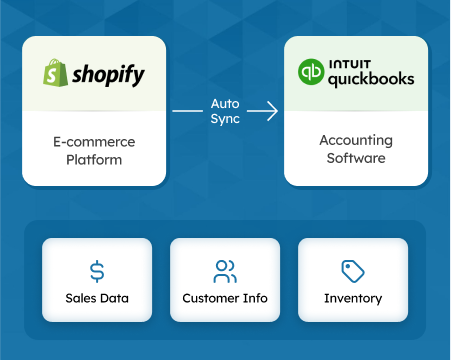
Connecting Shopify or Amazon directly to QuickBooks or Xero is the highest-leverage automation you can make. A dedicated integration like SyncTools imports transaction-level data on a defined schedule, maps each transaction type to the correct account, handles refunds and returns, and keeps your books current without manual export/import cycles.
This eliminates the core error: booking net settlements as gross revenue.
Priority 2: Bank Feed Reconciliation Rules
Once transactions are posting from your platform integration, set up bank feed rules to match the net deposit to the open clearing account balance rather than creating new income transactions. This is the reconciliation step — confirming that what arrived in the bank matches what the integration posted.
Priority 3: Inventory Sync
If you carry significant inventory, an inventory management integration (or a native QuickBooks/Xero inventory feature) should track units purchased, sold, and on hand. For Amazon FBA sellers, this requires a feed from Amazon’s inventory reports, since your physical stock is in Amazon’s warehouses.
Priority 4: Sales Tax Reporting
Connect TaxJar or Avalara to your bookkeeping system to automate nexus monitoring and return preparation. These tools pull transaction data directly from Shopify and Amazon — you do not need to re-export from your accounting software.
The SyncTools Workflow for eCommerce Bookkeeping
Here is how a fully automated eCommerce bookkeeping workflow looks with SyncTools connected to QuickBooks Online:
- Daily sync: SyncTools pulls all new Shopify orders, Amazon transactions, and settlement activity on a schedule.
- Account mapping: Each transaction type (sale, refund, platform fee, shipping, tax) is posted to the correct QuickBooks account automatically using the mapping you define at setup.
- Multi-channel separation: Shopify and Amazon transactions post to separate income accounts, keeping channel P&L clear.
- Settlement reconciliation: When the net deposit arrives in your bank, it matches the sum of the individual transactions already posted — a clean, one-click reconciliation.
- COGS tracking: If you use QuickBooks inventory, SyncTools updates inventory counts and COGS on each sale.
For Amazon sellers, see the complete setup walkthrough in our Amazon Seller Accounting: The Complete 2026 Guide.
Frequently Asked Questions About eCommerce Bookkeeping
What is the biggest bookkeeping mistake eCommerce sellers make?
Recording the bank deposit (net settlement) as revenue instead of gross sales. On Shopify and Amazon, the platform deposits a net figure that already subtracts fees, refunds, and tax collected. Booking that deposit as revenue understates gross sales, overstates margins, and makes reconciliation nearly impossible.
Should eCommerce sellers use cash or accrual accounting?
Accrual accounting is almost always the right choice above $500,000 in annual revenue. Cash-basis books look simpler but distort profitability when inventory purchases and sales span different months. Most e-commerce financing, tax, and due-diligence situations require accrual-basis financials.
What accounts does an eCommerce chart of accounts need that a retail store doesn’t?
Platform fees (Shopify subscription, Amazon referral and FBA fees), payment processing fees (Stripe, PayPal), marketplace sales tax collected (liability, not revenue), shipping revenue and shipping costs as separate line items, returns and refunds contra-revenue, and — for Amazon sellers — FBA inventory as a separate asset account.
When should I record revenue on an eCommerce sale?
On the order date, not the payout date. Under accrual accounting, revenue is recognized when earned — when the customer places the order and you ship the goods. Recording on payout date (when Amazon or Shopify deposits funds) mismatches revenue and COGS across periods.
What is the fastest way to automate eCommerce bookkeeping?
Connect your sales platform directly to your accounting system using a purpose-built integration like SyncTools. This maps gross sales, fees, refunds, tax, and shipping to the correct accounts automatically on every transaction, eliminating manual entry and the risk of booking net settlements as gross revenue.
Get Your Books Set Up Correctly From Day One
eCommerce bookkeeping errors compound over time. A misclassified settlement in January becomes a wrong P&L in Q1 becomes a wrong tax return in April. The fastest fix is connecting your platforms to your accounting system before the errors accumulate.
SyncTools connects Shopify, WooCommerce, Amazon, Walmart Marketplace, TikTok Shop, and Linnworks to QuickBooks Online, Xero, NetSuite, Sage, Zoho Books, and Microsoft Dynamics 365 — with account mapping designed specifically for eCommerce transaction types. Start your free trial or book a demo to see how the integration maps your settlement data.
For a side-by-side comparison of the four main eCommerce accounting sync tools — SyncTools, A2X, Webgility, and Taxomate — see the eCommerce accounting software buyer’s guide.
For the mechanics of automated reconciliation — how software matches every payout, fee, and refund to your accounting system without manual entry — see the automated reconciliation for eCommerce guide.
For Xero-specific eCommerce setup — chart of accounts structure, clearing account reconciliation, and multi-channel configuration — see the Xero eCommerce accounting guide.
For the tax compliance side of ecommerce accounting — nexus thresholds, marketplace facilitator rules, and how to handle multi-state obligations — see the ecommerce sales tax compliance guide.
For platform-specific bookkeeping walkthroughs: BigCommerce accounting guide (chart of accounts, gateway fees, and QBO integration for BigCommerce sellers), TikTok Shop accounting, Walmart Marketplace accounting, Walmart QuickBooks integration guide (step-by-step account mapping, WFS fees, and biweekly payout reconciliation), WooCommerce Xero integration.
Want to see SyncTools in action for a real store? See how SyncTools makes eCommerce accounting easy for a practical walkthrough of the full workflow.
Ready to automate your accounting?
Connect Shopify, WooCommerce, or Linnworks to QuickBooks, Xero & more. Setup in minutes.