5 Signs Your eCommerce Accounting Is Broken (and How to Fix It)
75% of eCommerce businesses lose 5–7 work days every month to accounting chaos. Here are the five warning signs your process is broken — and the fixes that actually work.

If your bookkeeper spends more time firefighting than closing, your eCommerce accounting is broken. The signs aren’t always obvious — but the damage compounds quietly: tax errors, investor-grade financials that take three weeks to produce, and cash positions that don’t reflect reality until it’s too late.
Global eCommerce is projected to exceed $6.4 trillion in 2025 (eMarketer via Shopify, 2025). That scale means the accounting complexity has outgrown spreadsheets and manual processes — even for sellers doing $1M a year. Yet most merchants are still running on the same disconnected setup they started with.
This guide covers the five most reliable warning signs that your eCommerce accounting process has failed, and the specific fixes that accounting professionals use to get clean books without adding headcount.
Related: eCommerce Bookkeeping Guide for Online Sellers
TL;DR: 75% of eCommerce businesses lose 5–7 full work days each month to manual accounting chaos, per a Bookkeep study of 697 merchants. The five root causes are late reconciliations, manual entry errors, multi-channel fragmentation, sales tax mis-categorization, and a slow month-end close. Each one has a concrete fix — usually an integration that removes the human from the loop.
Sign #1: Your Reconciliations Are Always Late (or Never Done)
A 2022 Bookkeep-commissioned study of 697 eCommerce businesses found that 75% are forced to manage manual accounting tasks because of data errors and inconsistencies across their platforms (Bookkeep / BusinessWire, 2022). Late reconciliation isn’t a scheduling problem — it’s a structural one.
When your Shopify payouts don’t match your QuickBooks income, or your Amazon settlements take three days to decode, reconciliation gets pushed to “when we have time.” Which means it’s always late.

Why this happens. Each platform settles differently. Shopify transfers net payouts on a rolling basis, netting out fees and refunds. Amazon consolidates every two weeks and buries fees inside the settlement report. Etsy deducts listing fees, transaction fees, and Offsite Ads from each payout before it hits your bank. None of these match gross sales — and none match each other.
Our observation: Most merchants who are “behind on reconciliation” are actually doing it — they’re just doing it wrong. They’re reconciling the deposit amount to gross sales, which will never balance. The real target is gross sales → fees → net payout → bank deposit, in that order. Once merchants understand the payout anatomy for each platform, the process becomes repeatable.
The fix. Connect each sales channel to your accounting system through a dedicated integration.
Related: Shopify QuickBooks Integration Guide
A purpose-built connector like SyncTools maps payout components — fees, refunds, taxes, adjustments — to the correct chart of accounts accounts, then matches each net deposit to the corresponding bank transaction. Reconciliation goes from a 3-hour manual job to a one-click confirmation.
According to the same Bookkeep study, 45% of eCommerce businesses must manually adjust payment data every month, and 45% run separate manual reports for each platform. Both of those tasks disappear with a working integration.
Sign #2: Manual Data Entry Is Causing Accounting Errors
The 2025 Intuit QuickBooks Accountant Technology Report — surveying 700 accounting professionals — found that 41% cite time-consuming data entry as a top technology pain point, tied with integration difficulties between apps (Intuit Investor Relations, 2025). Manual entry isn’t just slow — it’s a leading cause of the errors that make reconciliation impossible.
If your team is copying order totals from platform reports into QuickBooks, you’re introducing errors at every step. Wrong amounts, wrong accounts, wrong dates. Multiply that by hundreds of transactions per day and you get books that can’t be audited.
The data points that trigger this sign:
- Orders are entered as a daily lump sum rather than line-by-line
- Refunds and chargebacks are logged late or forgotten
- Fees appear as a single “bank charge” rather than categorized by type
- The same transaction appears in two places because an export was imported twice
The fix. Replace manual entry with automated transaction sync. Modern eCommerce accounting software pulls every order, fee, refund, and adjustment directly from the platform API. Each transaction posts to the correct account the moment it’s processed — not when someone gets around to copying it.
The same Intuit 2025 report found that 95% of accounting firms that adopted automation saw reduced time on compliance tasks. That’s not a coincidence — automation removes the human error layer entirely.
Sign #3: Your Sales Channels Aren’t Talking to Each Other
Cash reconciliation alone consumes 20–50 hours per month for many finance teams — involving 3–5 separate systems (Ledge.co State of Month-End Close, 2025). If you sell on Shopify, Amazon, and Etsy simultaneously, those 3–5 systems are exactly the platforms your team is reconciling by hand.

Multi-channel is the growth model for eCommerce in 2025. It’s also where accounting breaks down fastest.
The fragmentation problem looks like this:
- Shopify reports gross sales including shipping
- Amazon reports net sales after fee deductions
- Etsy reports sales excluding marketplace-facilitated tax
- Your bank account shows three different deposit amounts on different days
Without a consolidation layer, there’s no single number you can point to as “revenue.” Different platforms define it differently.
What we see regularly: Merchants who sell on 3+ channels often have revenue discrepancies between platforms totaling 8–15% of gross sales — not because they’re losing money, but because fees, refunds, and tax are being counted or excluded inconsistently across reports. They believe they have an accounting problem when they actually have a data normalization problem.
The fix. Implement a central integration that normalizes transaction data from every channel before it posts to your accounting system.
Related: Multi-Channel Inventory Accounting Guide
SyncTools, for example, maps each platform’s transaction types to a shared chart of accounts, so a “transaction fee” means the same thing whether it comes from Shopify, Amazon, or WooCommerce. Your P&L reflects one consistent revenue number.
According to the same Bookkeep study, 45% of eCommerce businesses run manual reports for each platform separately. That’s the multi-channel fragmentation sign in quantified form.
Sign #4: Sales Tax Is Being Mis-Categorized (or Ignored)
There are 13,000+ tax jurisdictions in the United States, and 408 sales tax rate changes occurred in the first half of 2025 alone (Zamp eCommerce Sales Tax Compliance Statistics, 2025). No manual process keeps pace with that. The result is tax that ends up in the wrong account — or not recorded at all.

The two most common mis-categorization errors:
-
Marketplace facilitator tax recorded as income. In 46 US states, platforms like Shopify, Amazon, and Etsy collect and remit sales tax on your behalf. That money is never yours — it’s a pass-through. But if your integration dumps the full payout (including platform-collected tax) into your Sales account, your revenue is overstated. You’ll also pay income tax on money you never kept.
-
Platform fees miscoded as a single “bank charge.” Etsy transaction fees, Amazon FBA fulfillment fees, Shopify payment processing — each has a different tax treatment and should map to a different expense account. Lumping them together makes your P&L useless for tax planning.
According to Zamp, the sales tax software market reached $10.42 billion in 2024, projected to hit $21.1 billion by 2035 — driven entirely by the complexity that multi-jurisdictional eCommerce creates (Zamp, 2025). That market exists because manual tax handling doesn’t work at scale.
The fix. Configure your integration to:
- Exclude marketplace-facilitated tax from Sales (map it to a pass-through liability account)
- Map each fee type to a specific expense account (not a catch-all)
- Apply jurisdiction-level tax rates automatically based on shipping address
Related: Shopify Sales Tax in QuickBooks Online
Sign #5: Month-End Close Takes Longer Than a Week
Only 18% of finance teams close month-end in 3 business days or fewer, per Ledge.co’s 2025 State of Month-End Close report. Half take longer than 5 days. And 27% take more than 7 days (Ledge.co, 2025). A slow close isn’t just frustrating — it means your financials are always stale when decisions need to be made.
What causes a slow close? The same study found that 94% of finance teams still rely on Excel for month-end activities, and 50% name Excel specifically as the primary reason their close runs slow. Excel isn’t the disease — it’s the symptom. The underlying problem is that data isn’t flowing automatically into the accounting system, so every close starts with a collection and normalization effort that should have already been done.
What the benchmarks show: Finance teams using dedicated eCommerce accounting software consistently close 2–3 days faster than those using manual or spreadsheet-driven processes, based on practitioner reports across QuickBooks partner communities. The difference isn’t headcount — it’s how clean the underlying transaction data is at close time.
The blockers that add days to a close:
- Waiting on other departments for platform reports
- Manually reconciling multi-channel deposits
- Correcting categorization errors found during review
- Running multiple adjusting journal entries for fees and tax
The fix. Move from batch processing (export → import → reconcile) to continuous sync. When your integration posts transactions in real time, the books reflect actuals daily. By the time close arrives, there’s nothing to batch-import — only a final review and sign-off.
Related: QuickBooks Automation for eCommerce
How eCommerce Accounting Software Fixes All Five Signs
These five signs aren’t independent problems. They’re all downstream of the same root cause: your accounting system isn’t connected to your sales channels. Every manual step in between is a place where errors can enter, time can be lost, and reconciliation can drift.
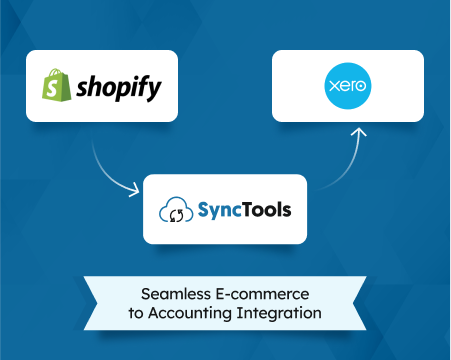
Purpose-built best eCommerce accounting software solves this at the source. SyncTools connects Shopify, Amazon, WooCommerce, Etsy, BigCommerce, Walmart Marketplace, and TikTok Shop directly to QuickBooks Online, QuickBooks Desktop, Xero, Sage, and NetSuite. Every order, fee, refund, tax amount, and payout reconciles automatically — against the correct account, in the correct period, at the correct amount.
The result isn’t just faster close. It’s financials you can actually trust.
Frequently Asked Questions
What is the most common eCommerce accounting mistake?
Manual data entry is the most common — and costly — eCommerce accounting mistake. A 2022 Bookkeep-commissioned study of 697 eCommerce businesses found 75% are forced into manual accounting tasks due to platform data errors, costing them 5–7 full work days every month.
How long should month-end close take for an eCommerce business?
Best-in-class eCommerce businesses close in 3 business days or fewer. According to Ledge.co’s 2025 State of Month-End Close report, only 18% of finance teams hit that benchmark — half take longer than 5 days, and 27% take more than 7.
Why is multi-channel eCommerce accounting so difficult?
Each sales channel — Shopify, Amazon, Etsy, WooCommerce — uses its own reporting format, settlement timing, and fee structure. Without a single integration layer, merchants must reconcile payouts manually across 3–5 separate systems, consuming 20–50 hours per month, per Ledge.co’s 2025 research.
How do I fix eCommerce sales tax mis-categorization?
Start by identifying which states require marketplace facilitator tax collection (46 as of 2025). For those states, exclude platform-collected tax from your Sales income — it’s a pass-through liability, not revenue. Then configure your accounting integration to map tax by jurisdiction automatically, rather than applying a single flat rate across all orders.
What eCommerce accounting software automates reconciliation?
Tools like SyncTools connect your sales channels (Shopify, Amazon, WooCommerce, Etsy) directly to your accounting system (QuickBooks, Xero, Sage, NetSuite) and handle transaction mapping, fee categorization, and payout reconciliation automatically — eliminating the manual steps that cause most eCommerce accounting errors.
The Fix Starts With Your Data Flow
Broken eCommerce accounting always traces back to the same place: manual steps between your sales platforms and your accounting system. Fix the data flow and the symptoms disappear.
If you recognize more than two of the five signs above, it’s worth auditing where your transactions enter your books — and where human hands are touching them along the way. Every touch point is a risk.
Start a free SyncTools trial and connect your first channel in under 10 minutes. No exports, no imports, no manual reconciliation.
Related: eCommerce Accounting Complete Guide
Related integrations:
- Shopify QuickBooks Online Integration overview — automate Shopify accounting and eliminate manual data entry
- Amazon QuickBooks Online Integration overview — for Amazon sellers using QuickBooks
- TikTok Shop QuickBooks Online Integration — referral fees, affiliate commissions, and payout reconciliation
- Walmart Marketplace QuickBooks Online Integration — WFS fees, biweekly payouts, and Walmart Connect ad spend
Ready to automate your accounting?
Connect Shopify, WooCommerce, or Linnworks to QuickBooks, Xero & more. Setup in minutes.